MQTTProbe vs MQTT Explorer: A Feature Comparison
What MQTT Explorer does well
MQTT Explorer is a solid MQTT client. It has a clean topic tree view, supports basic publish and subscribe, and runs on Windows, macOS, and Linux. It is open source and widely used in the IoT community.
If your payloads are plain text or JSON, MQTT Explorer is a perfectly good tool for browsing your broker.
Where MQTTProbe is different
MQTTProbe was built specifically for IIoT engineers working with Sparkplug B. The key differences:
Sparkplug B decode
MQTT Explorer has a beta release that can decode Sparkplug B messages. That is a real improvement for the community, and worth trying if you already use MQTT Explorer.
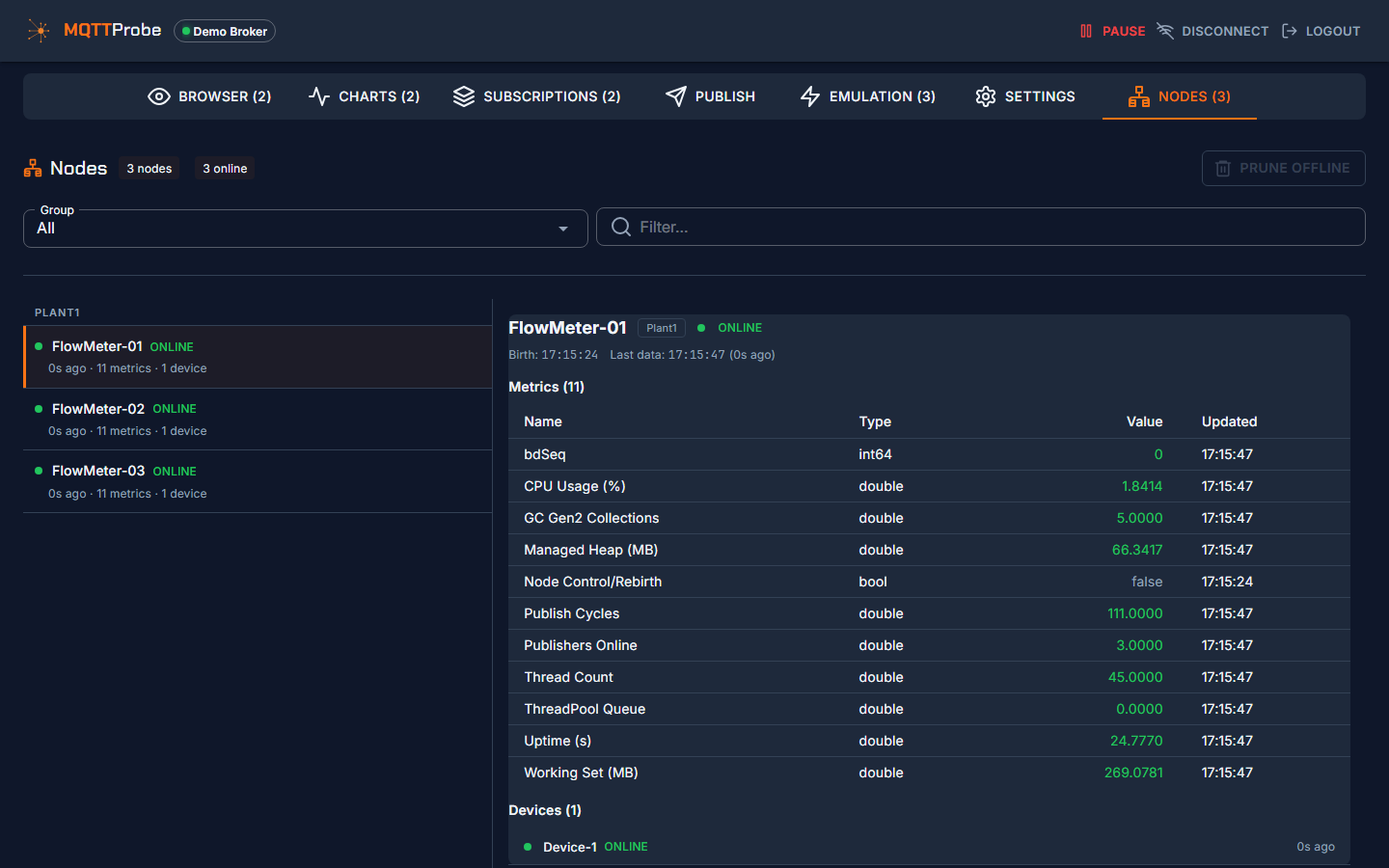
MQTTProbe goes further. It resolves aliases back to metric names automatically and sends rebirth requests when it discovers a new EoN node. There is also a dedicated Nodes view where you can see every node in a group and its current state. If you are debugging a live Sparkplug B system, those features save a lot of manual work.
Live charts
Both tools include real-time charting. You can plot numeric metrics from JSON or Sparkplug B payloads as live time-series charts in either MQTTProbe or MQTT Explorer.
Built-in emulator
MQTTProbe has a built-in emulator that generates Sparkplug B and generic MQTT traffic. You can test the tool without needing other MQTT clients on the network. MQTT Explorer has no built-in traffic generation.
Docker deployment
MQTTProbe runs as a Docker container for team-wide access. MQTT Explorer is a desktop-only application.
When to use each tool
| Use case | Tool |
|---|---|
| Quick JSON payload inspection | MQTT Explorer |
| Sparkplug B decode and diagnostics | MQTTProbe |
| Publishing test messages | Either tool |
| Live metric charting | Either tool |
| Team-shared access via Docker | MQTTProbe |
| Single-user desktop browsing | MQTT Explorer |
Both tools are open source. Use the one that fits your protocol and workflow.